Installation
This is the user manual for DINAMO Pocket which will help you with the installation and initial configuration.
Physical Installation
When you receive your DINAMO Pocket , take it out of the box and check that you have all the items:
- 01 DINAMO Pocket ;
- 01 Automatic bivolt power supply;
- 01 network cable.
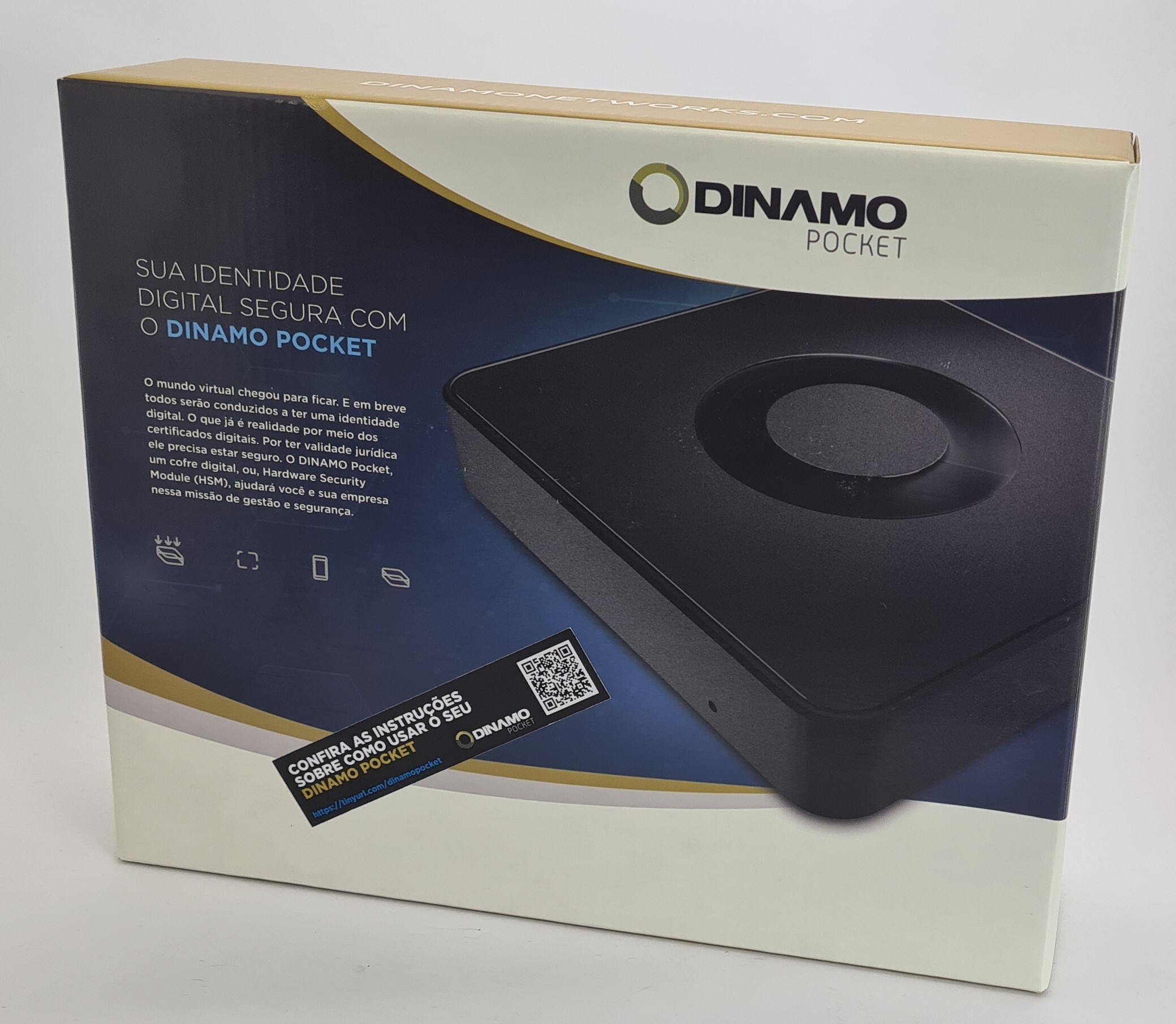
Connect the network cable to Pocket and to the network point. Connect the power supply to Pocket and to the power socket.
Attention
We recommend that Pocket is on the same network as your computer for initial configuration.
For details of the network reset for environments without DHCP(Dynamic Host Configuration Protocol), see the topic Physical Description.
Software installation
To configure Pocket, you will need to install the DINAMO Console. You can download the installer by going to Downloads.
For Windows, the program to be used must be msi 64-bit or msi 32-bit, depending on your environment.
MSI installer
On the Windows platform (32-bit or 64-bit), the library (components with application programming interfaces) is installed by running the installer program. The support (dll) and development (sdk) libraries, the CLI (Command Line Interface) console for managing the HSM and the graphical console for managing the client software will be installed.
Info
On x64 platforms, the specific installer must be used. If in doubt, contact your vendor. For 64-bit applications, 64-bit libraries are mandatory.
The HSM client software is compatible with Windows version 8 or higher.
To register certain components on the system, the installation process requires elevation of privilege (administrative permission).
-
When executing the installer program, the following screen will be displayed:
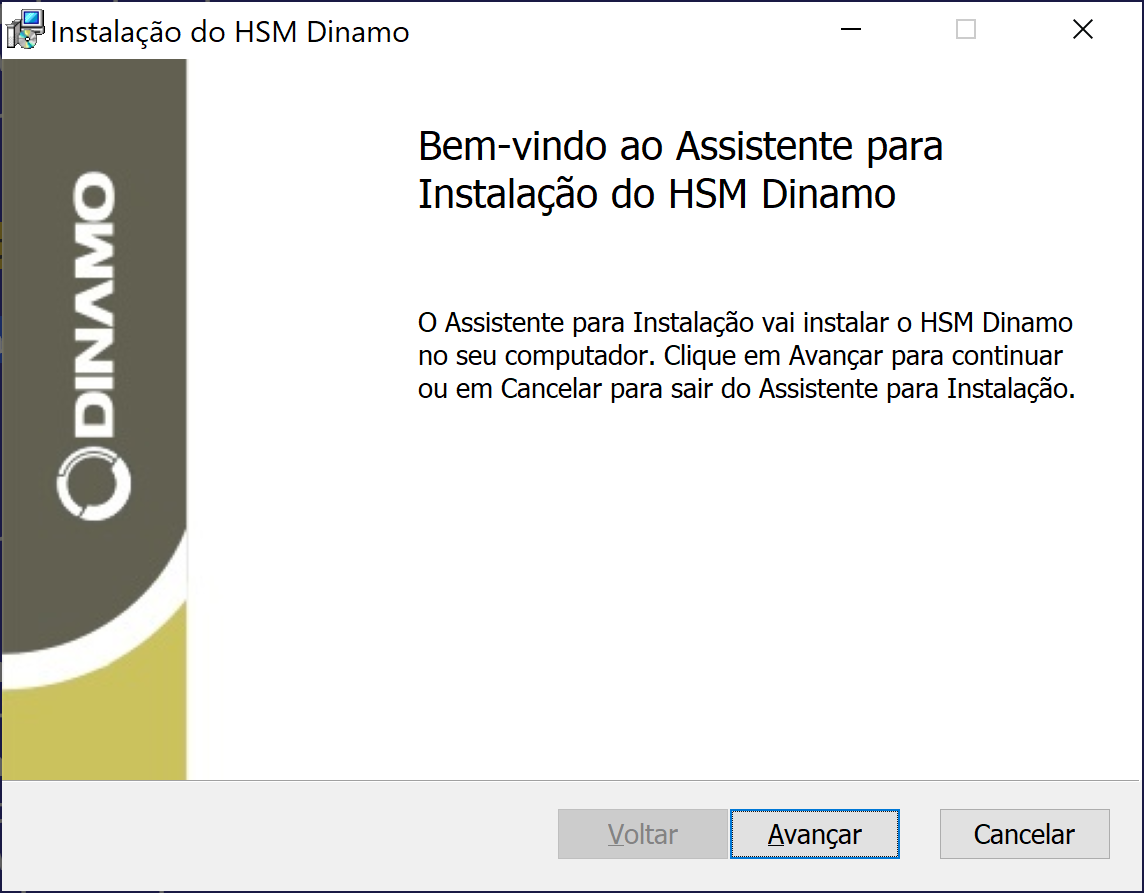
Installer program start screen -
Click Next to continue; three installation types will be presented. The Custom type is reserved for installations with remote operations, and this option also allows changing the default installation folder. Select Typical or Complete to accept the default options. A complete installation is only necessary in environments where remote device management with a smart card reader will be used.
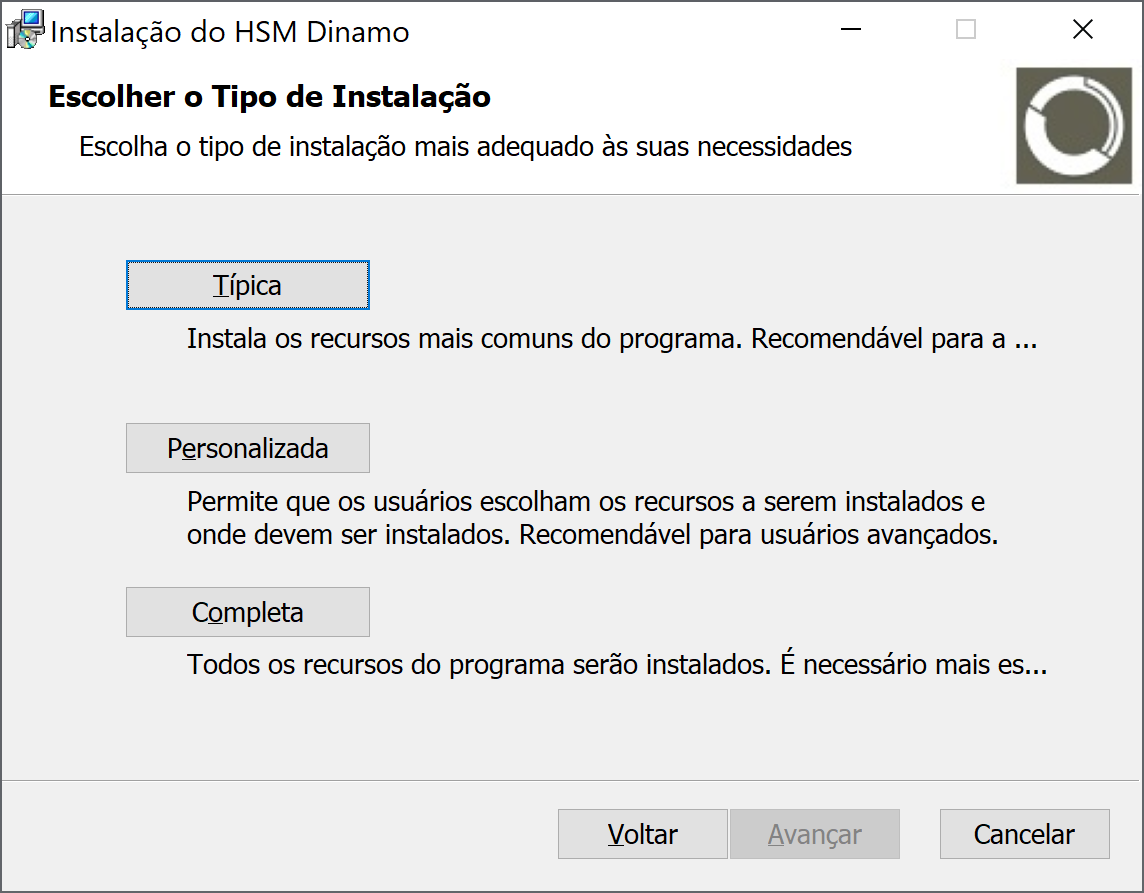
Installation types -
On the next screen, click Install to proceed with the process. Windows User Account Control will prompt for installation confirmation. Confirm to continue.
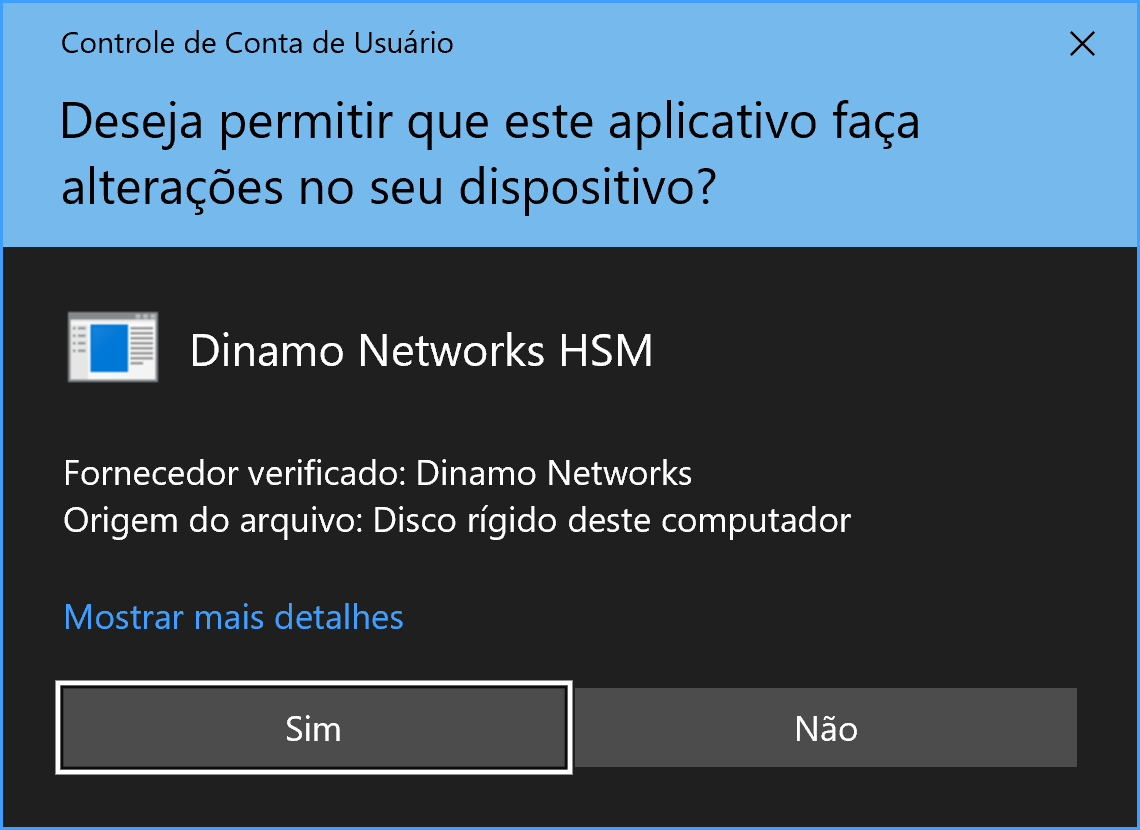
Windows User Account Control Confirmation -
At the end of the process, the screen below should be displayed. Select the checkbox if you wish to immediately run the DinamoCon console. It is not necessary to restart the server or workstation after installation.
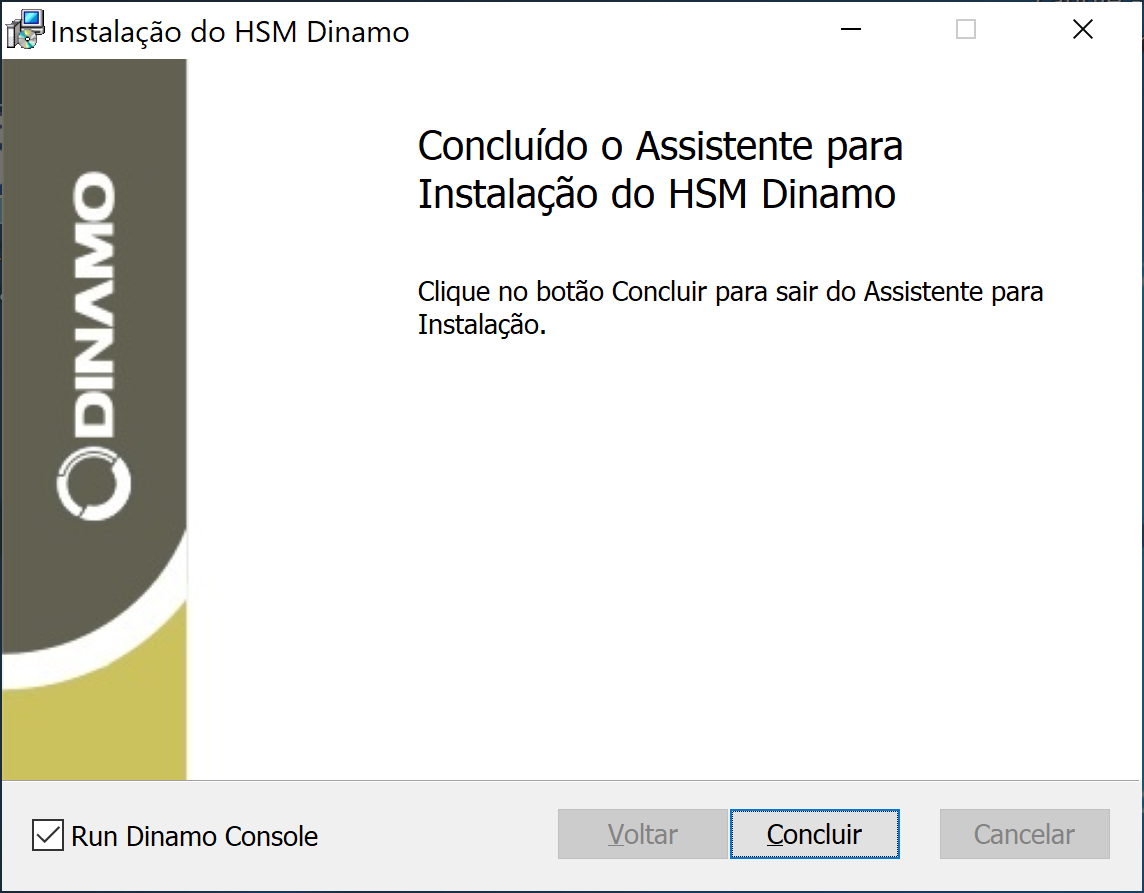
Final installer screen, with HSM console option
If you have any difficulties, consult your supplier. There is an installer for 32-bit systems (dinamo-m.n.p-x86-setup.msi) and one for 64-bit systems (dinamo-m.n.p-x64-setup.msi). The 64-bit package also includes the 32-bit versions of the libraries.
Installation packages are versioned and digitally signed (as are all libraries and the console). If a previous installation with an older version already exists, the installer will upgrade the components to the newest version. During this update process, configurations are preserved.
To uninstall, use the Uninstallshortcut in the Windowsshortcut menu (group HSM Dinamogroup) or the system control panel. The uninstall process will remove the settings.
Via Winget
A package manager is a system or set of tools used to automate the installation, updating, configuration and use of software.
Microsoft : Windows Package Manager is a comprehensive package management solution consisting of a command line tool (WinGet ) and a set of services for installing applications on Windows devices.
The following are useful commands for installing the Dinamo software using WinGet.
-
Search
winget search dinamoNome ID Versão Correspondência Origem ----------------------------------------------------------------- HSM Dinamo DinamoNetworks.HSMDinamo 4.10.1 Tag: dinamo winget -
Information
winget show "hsm dinamo"Encontrado HSM Dinamo [DinamoNetworks.HSMDinamo] Versão: 4.10.1 Fornecedor: Dinamo Networks URL do Fornecedor: https://www.dinamonetworks.com URL de Suporte do Fornecedor: https://docs.dinamonetworks.io/support/wk/ Autor: Dinamo Networks Moniker: HSM Descrição: Software para os HSMs (Hardware Secure Module) Dinamo Networks. Página inicial: https://docs.dinamonetworks.io/hsm/soft_client/installation/windows/ Licença: MIT URL de Privacidade: https://docs.dinamonetworks.io/support/wk/ Notas de Versão https://docs.dinamonetworks.io/hsm/release_notes_soft/ URL de Notas de Versão: https://docs.dinamonetworks.io/hsm/release_notes_soft/ Marcas: hsm dinamo segurança dinamo networks cryptografia msc fips Instaladora: Tipo de instalador: wix Local do instalador: en-US URL do instalador: https://downloads.dinamonetworks.io/bin/client/windows/x64/4.10.1/dinamo-4.10. 1-x64-setup.msi Instalador SHA256: 60a797704cda75a3cbe30aa34f76c9bed9b9e6bd44cc19efa8b2541fa6926203 -
Installation
winget install "hsm dinamo"Encontrado HSM Dinamo [DinamoNetworks.HSMDinamo] Versão 4.10.1 Este aplicativo é licenciado para você pelo proprietário. A Microsoft não é responsável por, nem concede licenças a pacotes de terceiros. Hash do instalador verificado com êxito Iniciando a instalação do pacote... Instalado com êxito -
Installation in interactive mode to enable Remote
winget install -i "hsm dinamo"Encontrado HSM Dinamo [DinamoNetworks.HSMDinamo] Versão 4.10.1 Este aplicativo é licenciado para você pelo proprietário. A Microsoft não é responsável por, nem concede licenças a pacotes de terceiros. Baixando https://downloads.dinamonetworks.io/bin/client/windows/x64/4.10.1/dinamo-4.10.1-x64-setup. msi ██████████████████████████████ 26.5 MB / 26.5 MB Hash do instalador verificado com êxito Iniciando a instalação do pacote... Instalado com êxito -
Uninstallation
winget uninstall "hsm dinamo"Encontrado HSM Dinamo [DinamoNetworks.HSMDinamo] Iniciando a desinstalação do pacote... Desinstalado com êxito
The website winstall can be used for software search and installation commands in WinGet.